 Spreadsheet into App
Turn your spreadsheet into a real app
Spreadsheet into app starts with the file you drop. Keep the grid. The team gets a real interface on the same rows.
Powered by Teable
Sample rows from a sales sheet
| Company | Stage | Owner | Amount |
|---|---|---|---|
| Harborview | Closed | Ken Ito | $62,764 |
| Northwind | Proposal | Lia Voss | $22,400 |
| Beta Line | Proposal | Ken Ito | $15,500 |
| Gamma Co | Discovery | Ana Ruiz | $8,250 |
Deal
Harborview
- Stage
- Closed
- Owner
- Ken Ito
- Amount
- $62,764
- Northwind$22,400
- Beta Line$15,500
- Gamma Co$8,250
What spreadsheet into app means
You drop a spreadsheet. Two things come back: a stronger sheet you can still work in, and a real app sitting on the same rows. Change a cell, both sides update. You are not keeping two copies.
The spreadsheet stays, only stronger.
A status is a status. A person is a person. The right people see the right rows.
Then other people get a real screen.
Forms, lists, and dashboards sit on those same live rows. Nobody has to live in cells.
Logins, mail, and later edits.
A new row can send the email. You can change the app. You are not stuck.
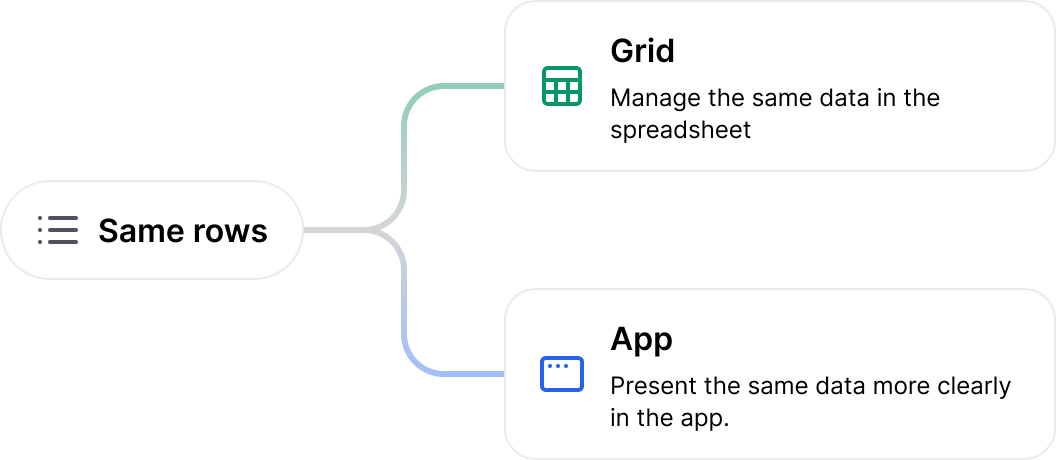
Same rows. Two doors.
You stay in the grid when you need to. Everyone else opens a page that makes sense for their job. Spreadsheet into app is one set of records, used two ways.
Tools for the team already in the sheet
Every desk has a spreadsheet doing a job it was never meant to hold alone. Spreadsheet into app puts a screen on those rows.
Sales
The pipeline is already in a sheet. Give the team a board on those rows.
Operations
Requests stop arriving as yellow cells. People submit. You still have the grid.
Finance
Trackers the team can open without mailing the file.
People
Hiring and onboarding on the roster you already keep.
Marketing
Campaign lists become pages the rest of the company can use.
Success
A simple place for the accounts sitting in the sheet.
Product
Feedback and roadmap rows, with a screen for everyone else.
Leadership
The numbers stay in the grid. The chart looks at the live sheet.
How to use it
Three moves. The file you already have is enough for spreadsheet into app.
Drop your file
Excel or CSV. Or copy cells from Sheets and paste them here.
Press Start
The file becomes a stronger sheet, and an app is built on those same rows.
Share the right door
You stay in the grid. Everyone else opens the app.
Safe enough for the real file
Access you decide, a trail of who changed what, and the option to take the app with you. The file does not have to live in someone else's inbox.
Your rows stay yours
You bring the file. You can take the app. Nothing here is a dead export.
Access you decide
Email or Google. Open, company-only, or invite-only. Sales can edit. Finance can look.
ISO 9001 and 27001
The workspace that holds the sheet and the app is built to those controls.
Code you can take
The app is real Next.js. Download it or put it on GitHub and host it yourself.
Questions people actually ask
Ready to turn the next file into a working app?
Drop it above. Spreadsheet into app keeps the grid and gives the team a real interface.